Welcome to Urania
Urania combines capture, AI processing and productivity tools in one application.
Before beginning, complete the Privacy Policy acceptance and initial setup. Urania then lets you configure how supported AI tasks are processed.
Step 1 — Complete Profile and AI setup
For your Profile:
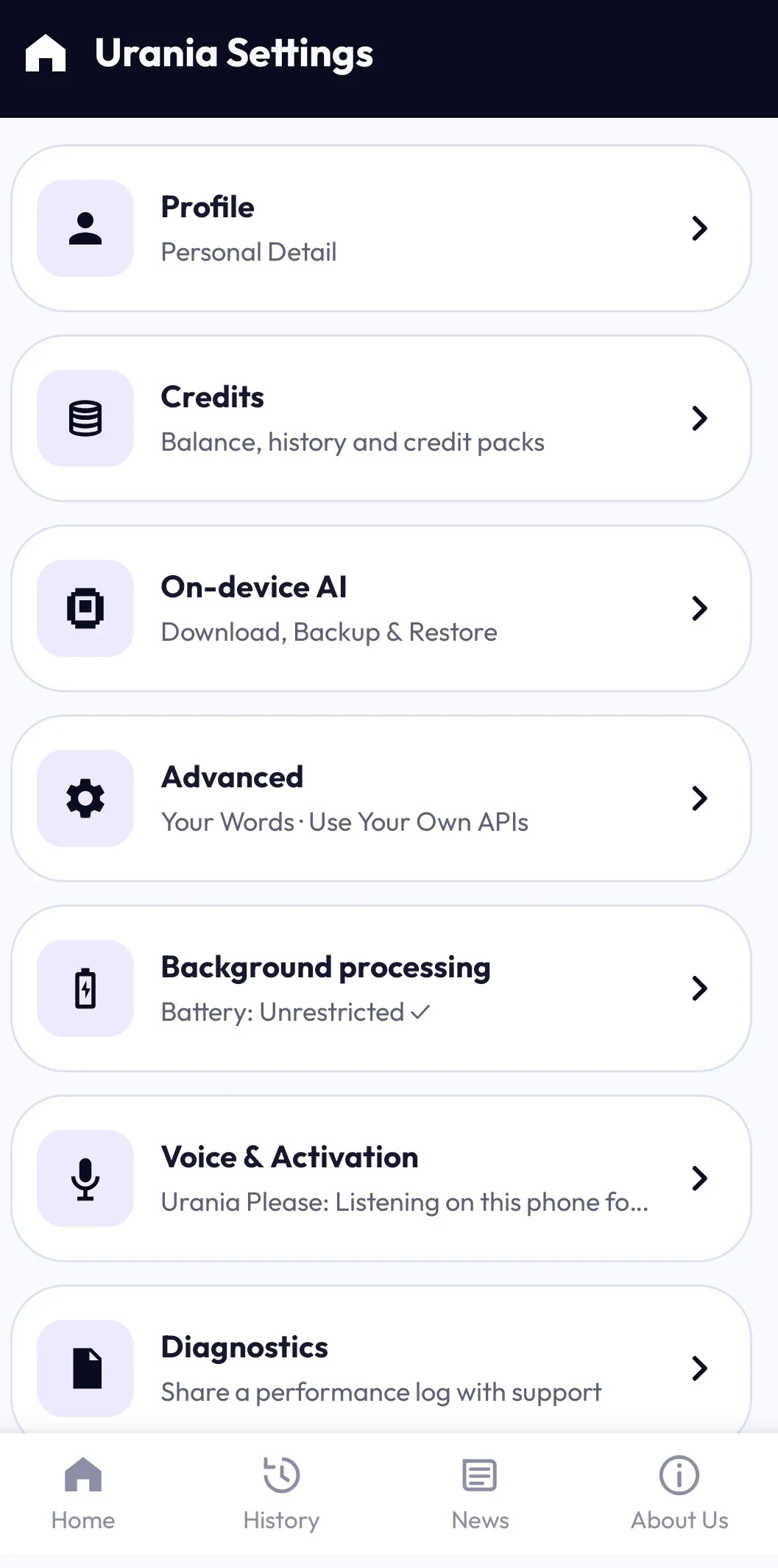
Settings → Profile
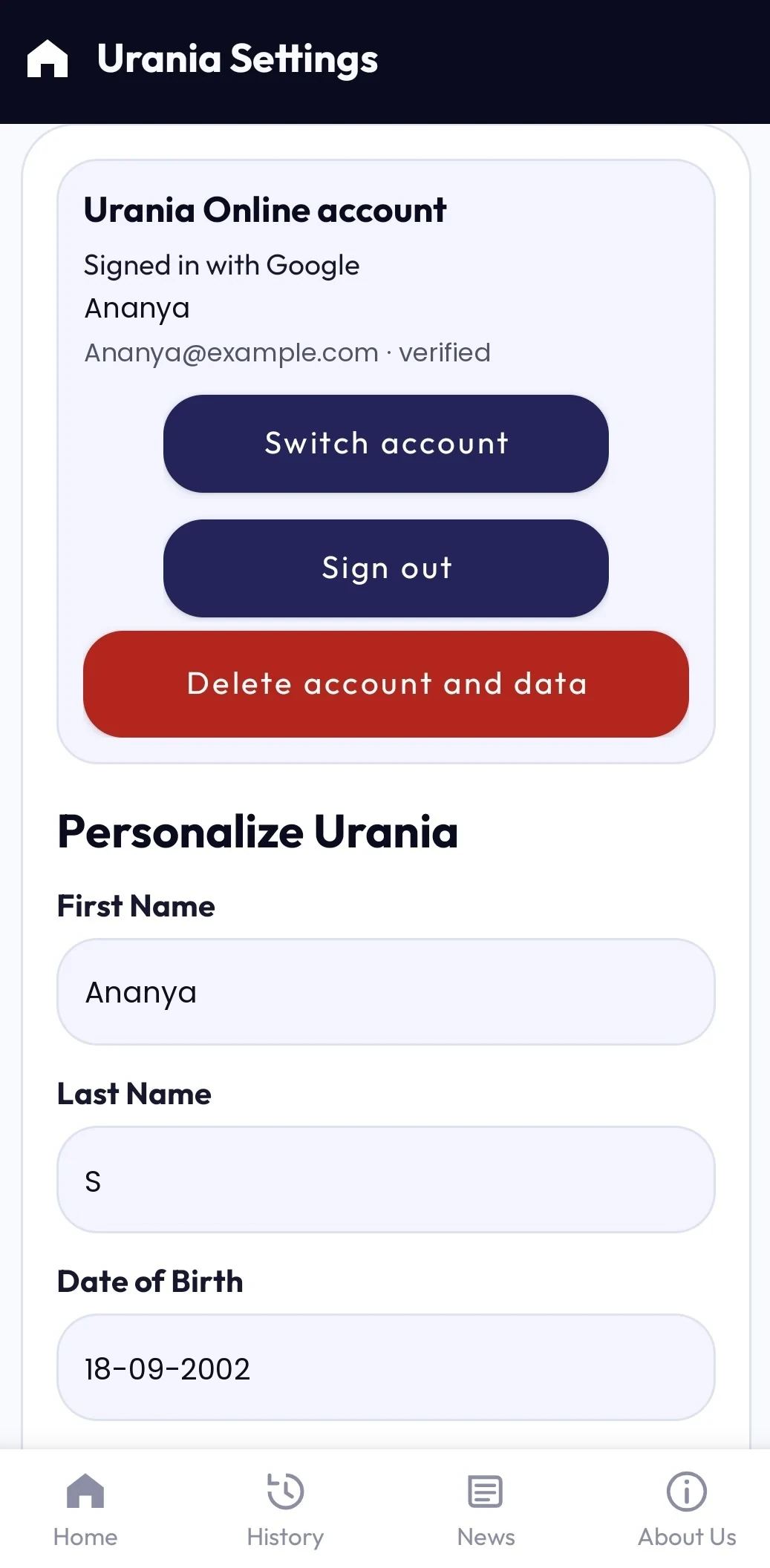
Review your personal details and contact information. New phone-number setup defaults to India (+91), while a saved country selection is preserved.
For on-device AI:
Settings → On-device AI → Download
Download the required supported model before attempting a feature that depends on it. On-device AI can reduce dependence on an internet connection for supported processing.
For cloud AI:
Settings → Advanced → Use Your Own APIs
Configure a supported provider using the credentials required by that provider. Own API requests do not use Urania Credits. For Urania Online, sign in under Settings → Profile and manage your balance under Settings → Credits. Urania does not silently substitute an unavailable provider or model.
Step 2 — Start from Home
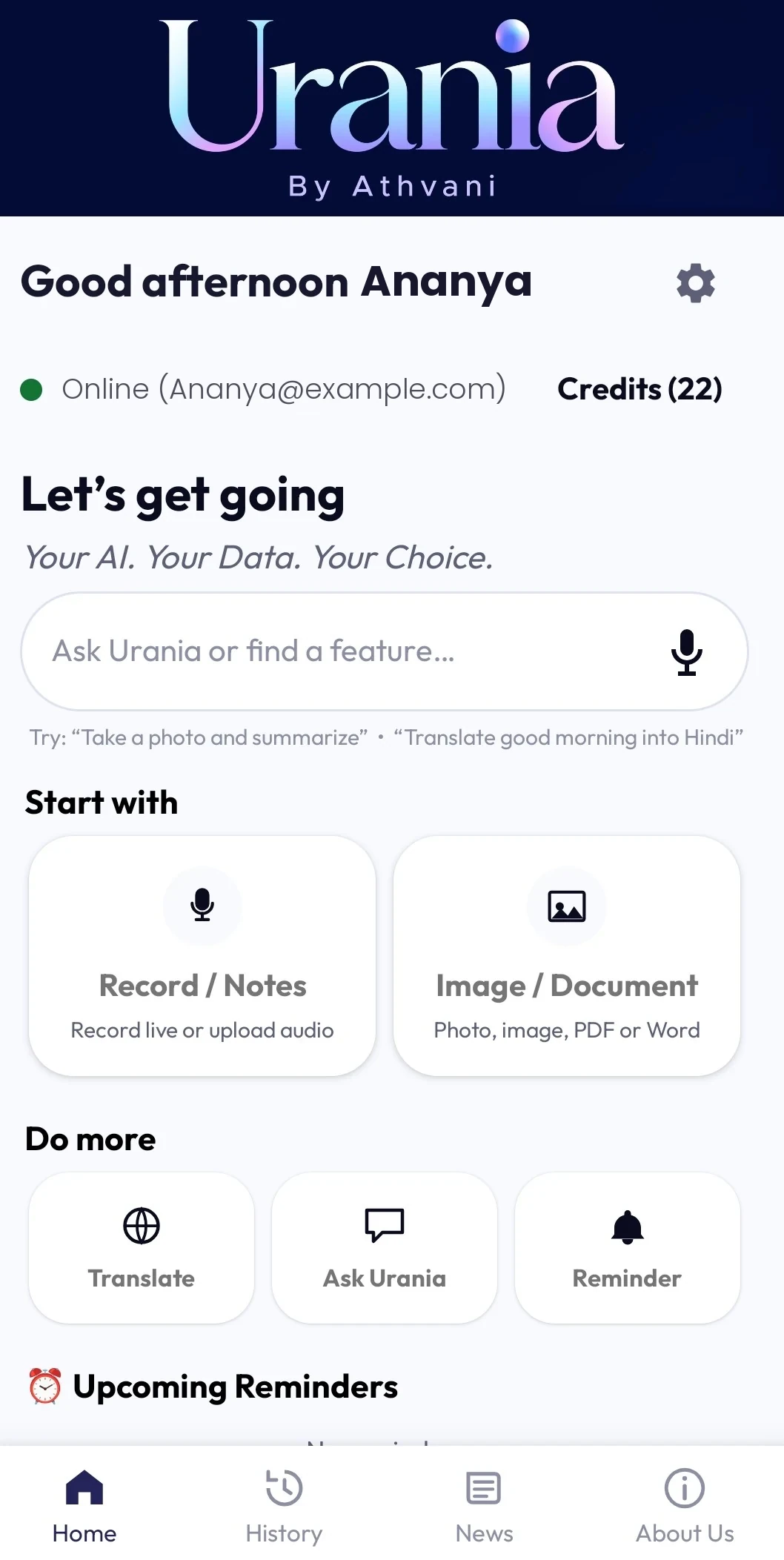
Use “Ask Urania or find a feature…” to find Urania capabilities or begin Ask Urania. Home also provides access to the application's major functions.
Step 3 — Capture or provide content
Depending on the task, you can record or upload audio, take a photo, choose an image or document, enter text, record speech or upload audio for translation, or ask Urania directly.
Step 4 — Work with the result
Outputs can include transcripts, summaries, custom AI results, image/document analysis, converted text, translations and conversational answers. Available actions depend on the feature, configured AI and source content.
Step 5 — Continue later
Use History to return to supported previous meetings, files and chats. Use Workflows when you regularly perform the same type of transcription/output process.
Things to know
• AI output can contain mistakes. Review important results.
• Background processing is chosen once during initial setup. Tapping Allow records your preference and opens Urania's App info, where you set Battery to Unrestricted (on OnePlus, OPPO and Realme phones: Battery usage › Allow background activity). You can change this at any time in Android Settings › Apps › Urania › Battery; some device makers add further background controls of their own.
• Technical Error, Diagnostic and Performance Forensic log emails default to support@athvani.com; normal content email actions use the current Profile email where applicable.
• Processing availability depends on the selected AI model or cloud provider.
• On-device and cloud models may produce different results.
• Keep important source files independently where appropriate.
• Removing application data or uninstalling Urania can remove locally stored application information that is not separately backed up.
Urania Pro · not a live store offer
The current in-app FAQ describes a five-day trial, six-month and one-year subscriptions, 10 or 20 credits at the start of a paid term, and two monthly credits while subscribed. Monthly credits do not carry over; purchased credits do not expire. After Pro ends, History, Reminders, Settings, Profile and Credits remain available; new on-device processing requires Pro. These details are not configured as a Google Play offer on this website. Final purchase eligibility, price and the terms displayed in Google Play must be confirmed in the actual purchase flow.
Check the installed build
Urania is in beta; the installed app and its available controls are authoritative. Current in-app documentation describes up to four images together and one supported document at a time. Language, screen and feature availability can vary by task, build and device.
Urania Online
For the optional Urania Online route, sign in under Settings → Profile. You do not need to configure your own provider API key. Open Settings → Credits to view your balance and available purchase options. Review the Online legal terms before continuing.
Before a chargeable request, review and approve the maximum credit charge. An approved request can reserve that maximum; settlement cannot exceed it and unused reserved credits are released. Availability depends on the feature, connection and service configuration.
Credits and purchases
Own API requests do not consume Urania Credits. Purchased and promotional credits are tracked separately, and free credits are used first. Purchased credits do not expire under the current product policy. Google Play supplies the authoritative local price in Play-distributed builds. If a purchase succeeds but credits do not appear, refresh/restore processing in Credits or contact support rather than buying repeatedly.
Account control
Open Settings → Profile to find the signed-in Urania Online account and its account/data deletion controls. Online account deletion and local History deletion are separate. Review the in-app warning before confirming. For help or an external deletion request, use the account-deletion page.